Reads the signals
We read the data behind all six review areas, accounts, admin access, apps, groups, licences and security settings, straight from Microsoft 365 and Entra ID. Nothing gets changed.

How It Works
LicenMark reads the evidence across your accounts, admin access, applications, groups, licences and core security settings, checks it against fixed rules, and hands you back a plain-English, prioritised list of what needs a look, and why.
No write-back. No remediation. Start your review online when you are ready — create your account, connect Microsoft 365, and continue through payment.
What the review actually does
We read the data behind all six review areas, accounts, admin access, apps, groups, licences and security settings, straight from Microsoft 365 and Entra ID. Nothing gets changed.
Every account, admin assignment, app, group, licence and security setting gets checked against the same fixed rules, every time. If we don't have the evidence we need, we say so, we don't guess and we don't quietly mark it as fine.
Related findings get pulled together into one clear picture: what to look at first, what to look at next, why it matters, and what we'd suggest checking. We don't take the action for you, that decision stays with your team.
What the review looks at
The method stays deliberately narrow, read-only, fixed rules, no guessing, while the review itself covers six areas that are easy to lose track of and hard to explain cleanly if someone asks.
Review items
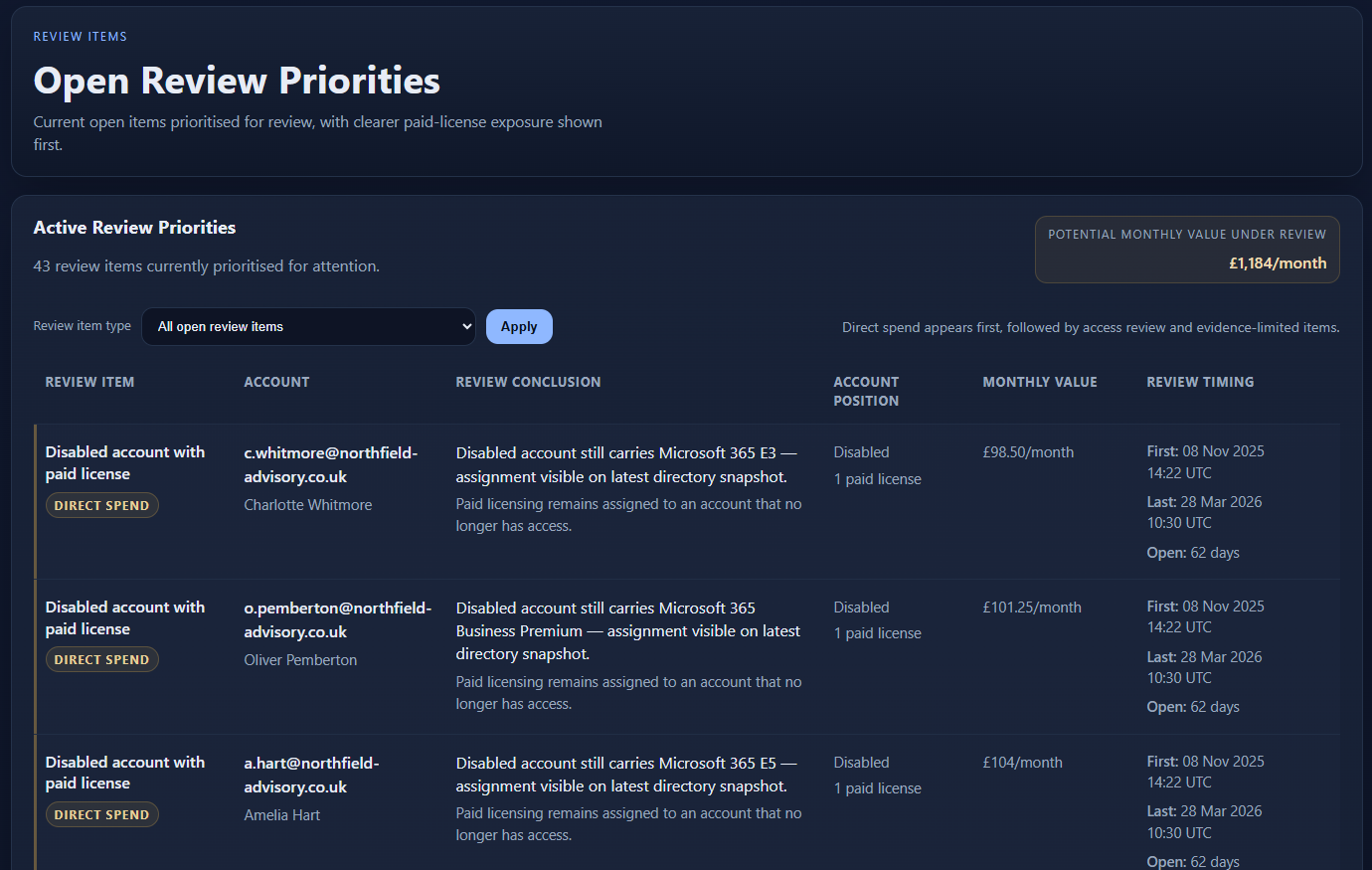
Every open item, an access risk, an overdue admin check, a licence going to waste, or a security setting that's not where it should be, lands in one prioritised list you can work through in order.
What gets surfaced
Some findings are clear-cut: a disabled account still holding an admin role, or a purchased licence nobody's assigned to.
Other times, we simply don't have enough evidence to say for certain, maybe a permission or an API limit got in the way. When that happens, we say so directly, rather than guessing or quietly marking it as fine.
What the output looks like
The output is built for internal review, not for technical curiosity.
A short summary across all six areas: what's fine, what needs a look, and anywhere we couldn't get enough evidence to say for sure.
The specific accounts, admin assignments, apps, groups, licences or settings that need your attention now, ranked so you know what to look at first.
A report you can hand to your manager, your auditor, or your own team, with the finding, the evidence behind it, and why it matters, already written up.
Review detail
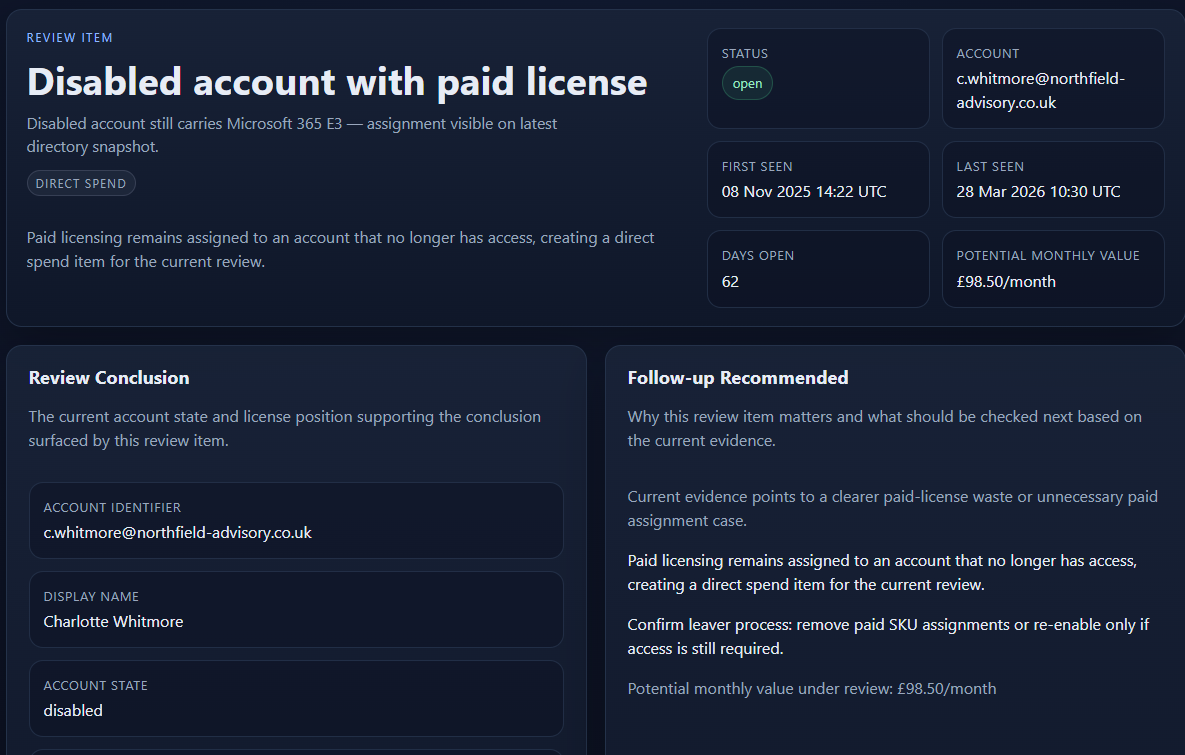
Every finding gets the same treatment: what we found, why it matters, the evidence behind it, and what we'd suggest reviewing next. Where we can put a number on it, we do.
Why the model is read-only
LicenMark doesn't disable accounts, remove licences, change admin roles, touch apps or groups, switch security settings on or off, or write anything back to Microsoft 365.
That is deliberate. The product exists to surface the current position clearly, not to take actions inside your tenant.
For this kind of review, read-only is not a limitation. It is part of why the output is easier to trust.
How teams use it
Some teams just need one clear picture of where they stand right now, across accounts, admin access, apps, groups, licences and security settings.
Others want that same review run every quarter, so they can see what's been sorted, what's still open, and what's quietly crept back since last time.
LicenMark supports both. Start with a one-off review, then continue only if tracking change over time is useful.
Next step
Create your account and continue online when you are ready. Connect Microsoft 365, see the correct price for your organisation, and pay securely through Stripe.
Start with a one-off review. Move to quarterly only if seeing what changed between reviews is useful for your team.
For more context, review the read-only security model or see the Microsoft 365 review pricing bands.